Start with teacher behaviour
Sessions showed task-focused visits with limited exploration. Interviews helped explain the problem: teachers could not always tell where resources belonged.

I used teacher research to rethink how thousands of educational resources were organised and accessed in Oxford Premium.
At a glance
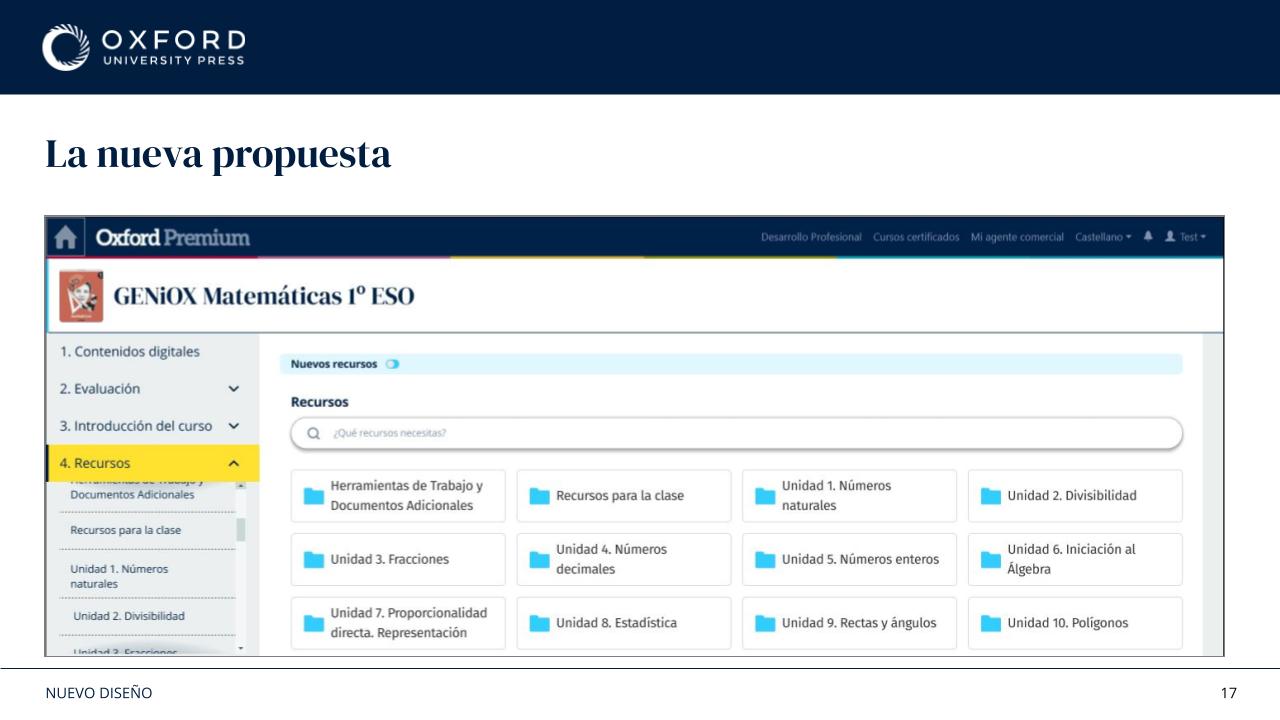
Oxford Premium had grown across product lines, with inconsistent names and navigation paths. Teachers valued the content but struggled to understand where resources lived.
As the sole UX/UI Designer, I connected behavioural research, teacher interviews and testing to redesign the information architecture, navigation and resource groupings.
The decisions
Sessions showed task-focused visits with limited exploration. Interviews helped explain the problem: teachers could not always tell where resources belonged.
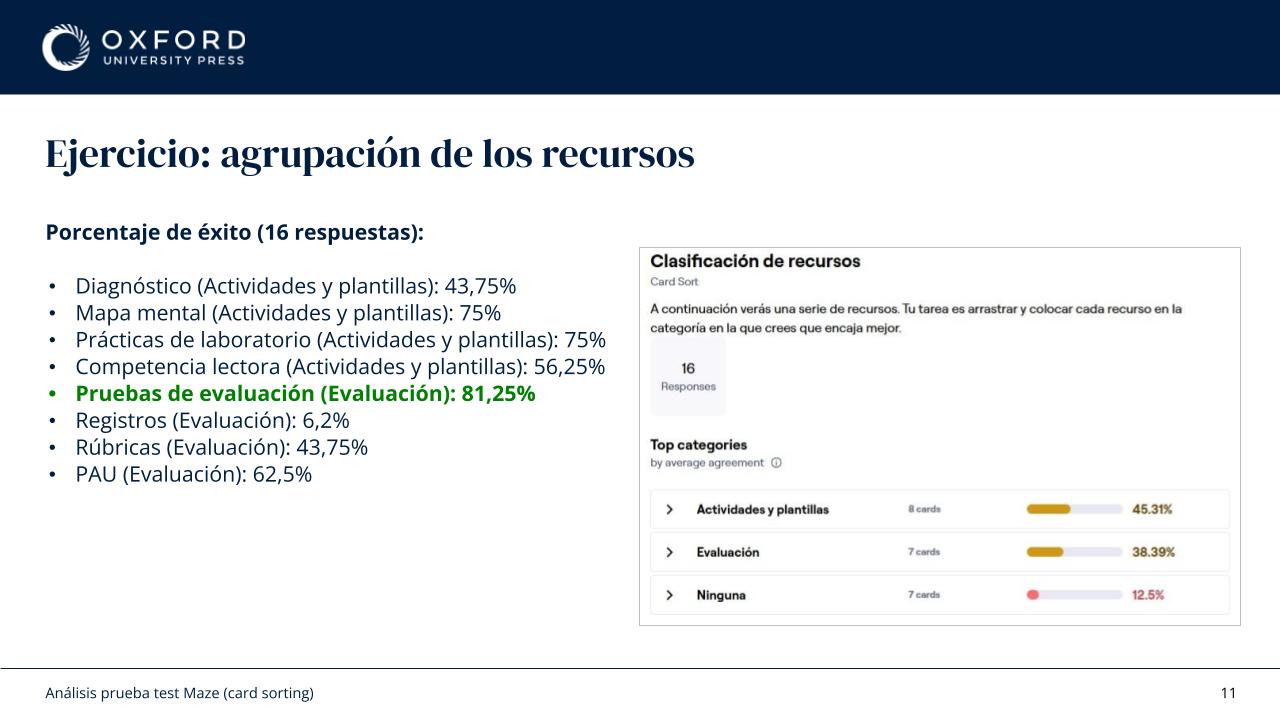
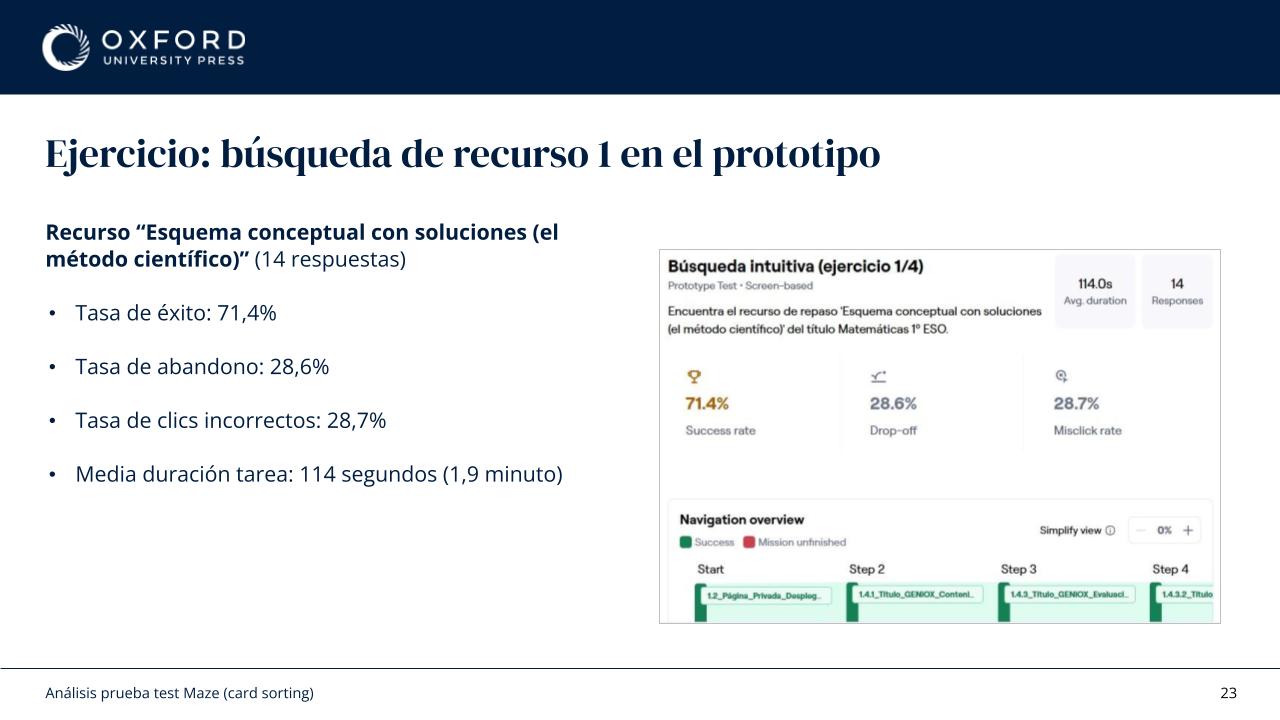
I used card sorting and prototype tasks to check resource groupings and labels, refining the structure around how teachers expected to find content.
I compared UK and Spanish product structures, mapped equivalent resources and documented naming conventions to support a more coherent organisation.
Evidence
Card sorting and prototype tests informed the navigation. These examples connect the research with the product flows available in Oxford Premium's demo.
Video description: In the GENiOX PRO Universal Literature sample title, the user opens Samples, then Demo, and expands the first-year Bachillerato group. Four resources appear: the demo student book, GENiOX PRO desktop, a resource map and solutions. Selecting the demo book opens a dark viewer loading screen; the user returns to the resource list. They use the resource action icons, and the browser displays a downloaded-file notice. The year group is collapsed, the view is switched from list to grid, and the group is reopened to show the same resources as cards.
Video description: In My demos, the user opens several sample titles: All About Us Now 2, GENiOX Mathematics ESO, Life Vision Advanced C1 and GENiOX PRO Universal Literature. Each title has a coloured header, a contact strip and a resource category such as Guides and answer keys or Samples. Below are a favourites area and a Demo group, with search, a New resources filter and list or grid controls. The user switches Life Vision from list to grid and back, then enables and disables the New resources filter on the literature title. The page layout stays consistent between titles.
Video description: From the homepage, the user opens My demos in the left navigation. Six sample-title cards appear with an Edit library button. Editing outlines the selected titles in yellow-green and reveals more demos grouped by school stage. The user selects Primary, adds All About Us Now 2, removes the GENiOX language title and Life Vision Upper-Intermediate B2.2 from the selected set, and confirms the library. The updated library shows five cards: the newly added title and the four remaining demos.
Outcome
The videos use Oxford Premium's demo account, which shows a limited selection of titles and resource categories. The process examples have been adapted for sharing. Further research and context are available in the Deep Dive.